
Apple Watch
A conversation starts. So does your record.
Record from your Apple Watch, even with the screen off. Access Tsugra from a watch face complication.
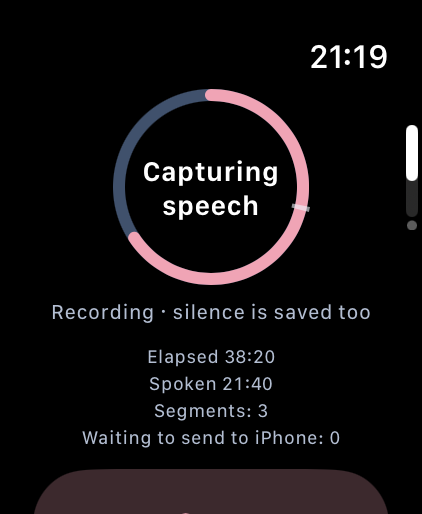
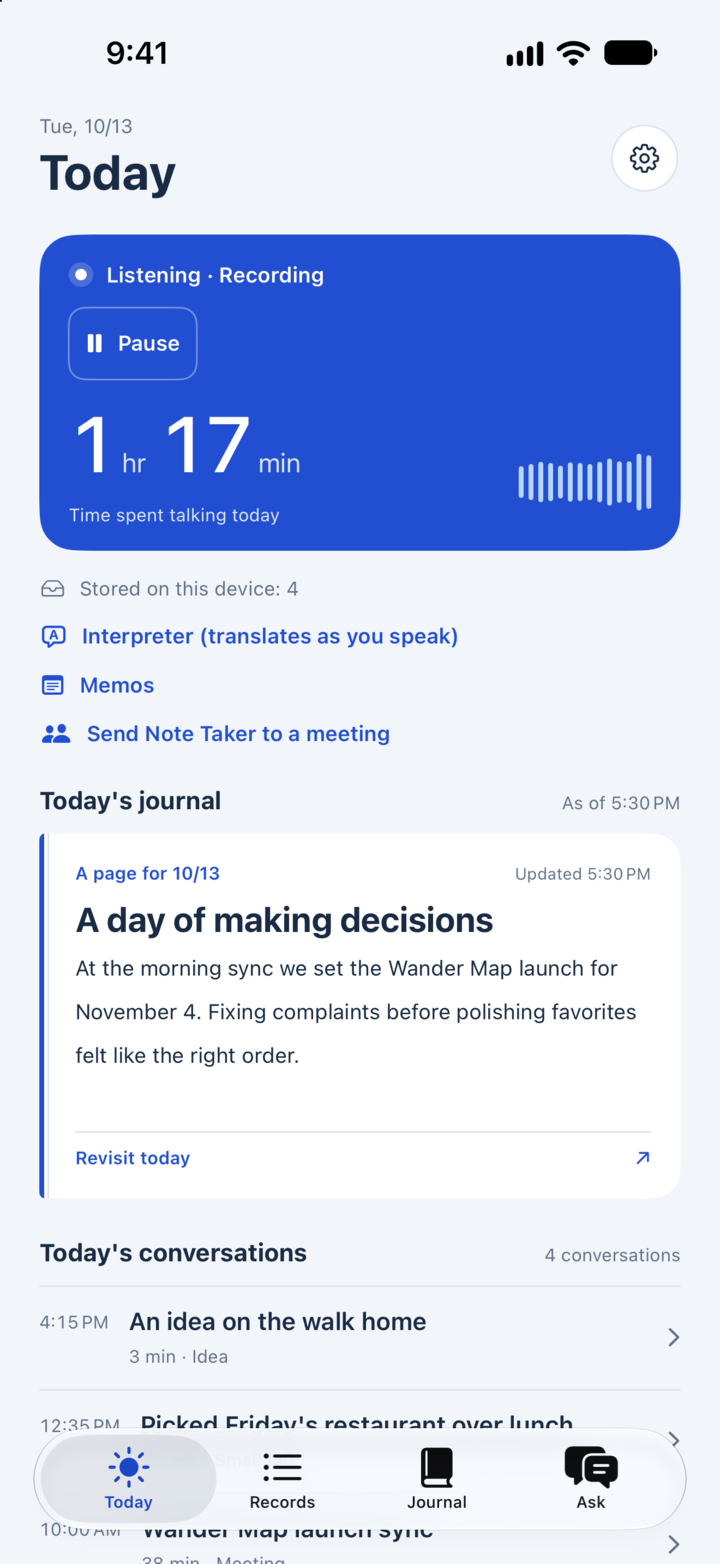
iPhone · Apple Watch · Mac
Record, revisit, remember.
Tsugra records conversations throughout your day—from passing thoughts to meeting decisions.
No account needed to record, play back or transcribe on-device.
Conversations and records shown on screen are for demonstration only.
Your day, in words
From recordings to transcripts. From summaries to a diary. And when you want to revisit something, just ask.
Record from your Apple Watch, even with the screen off. Access Tsugra from a watch face complication.
Transcribe your recordings, summarize them with AI, and bring your day together in a diary. On-device transcription is also available.
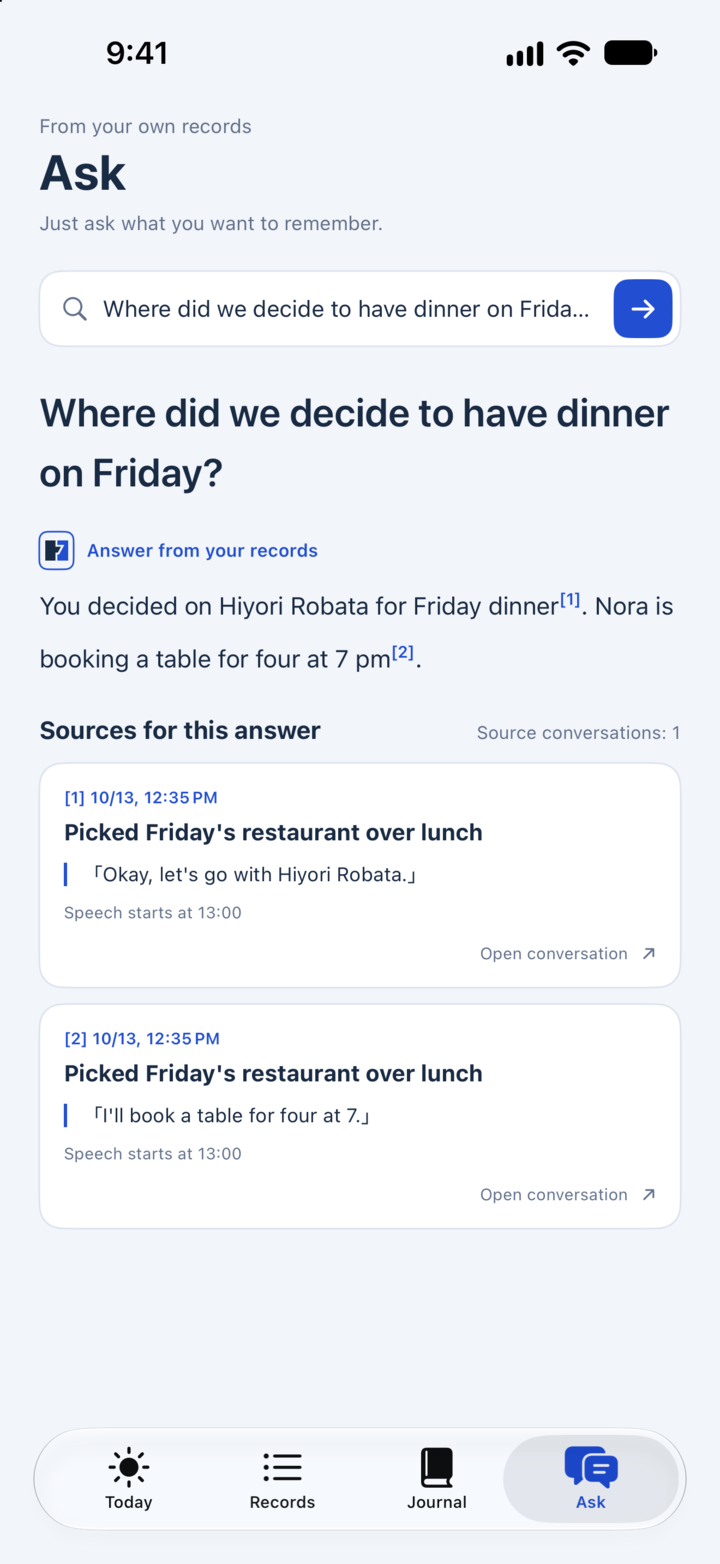
Ask a question about past records. AI answers with citations, so you can see the records behind the answer.
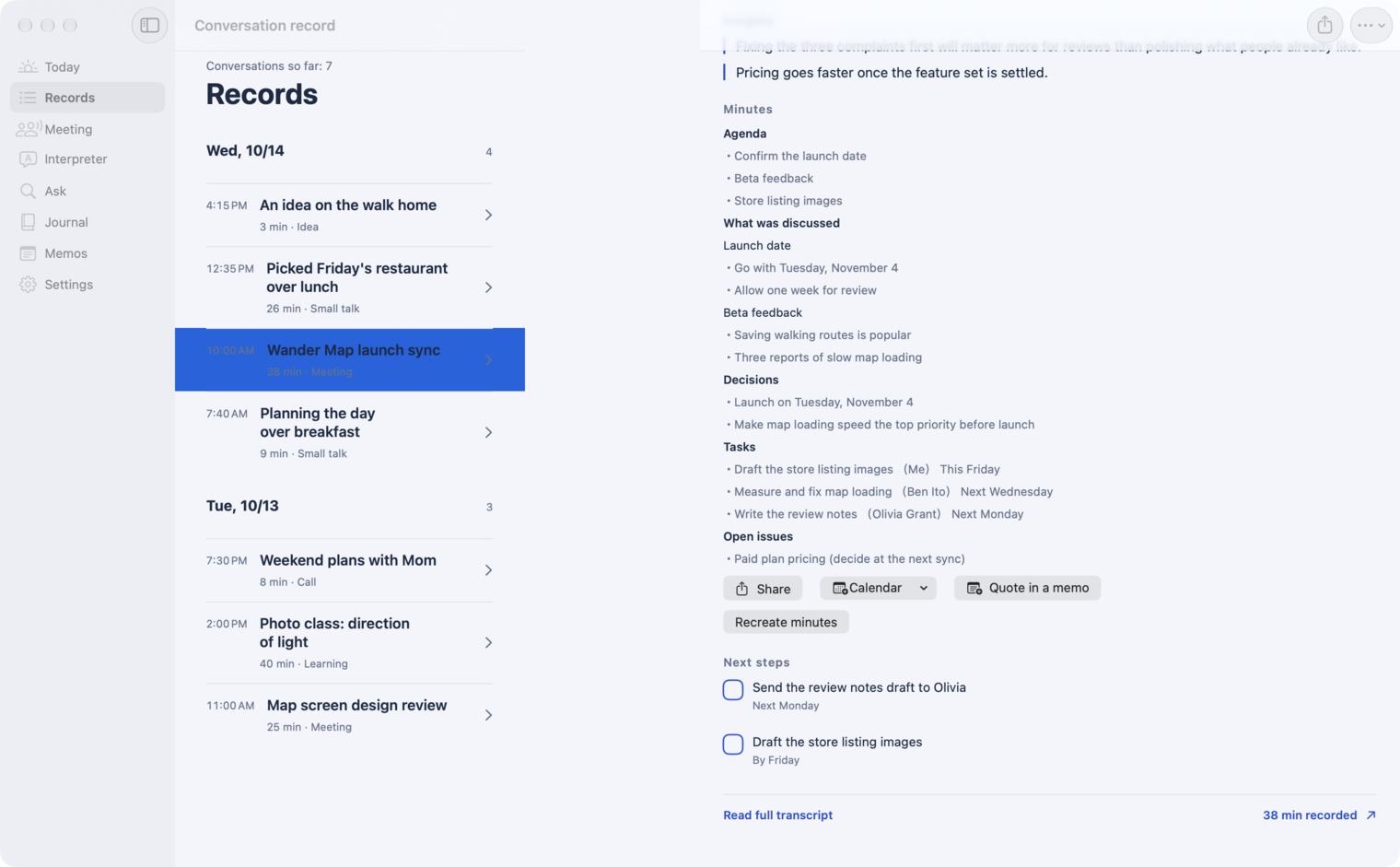
Access your records on the devices you use.
Recorded audio and health data do not sync.
For work, too
Record on Mac or bring a meeting bot into your call. Turn the record into notes you can work with and share.
Record your voice and the other person’s voice separately on Mac, and create meeting minutes. Real-time, on-device interpretation is also available.
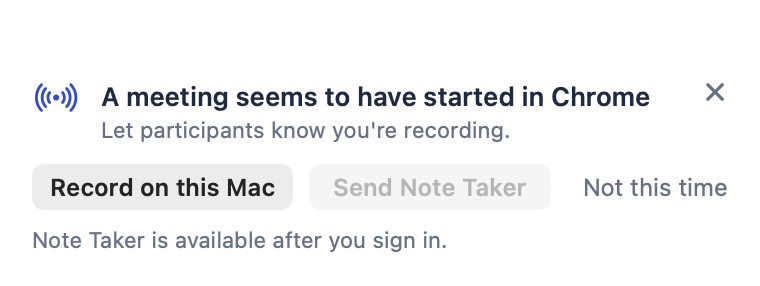
The meeting bot joins Google Meet, Zoom and Teams to record meetings. It can also join calendar meetings automatically. When Tsugra detects a meeting on Mac, a prompt appears in the top-right corner.
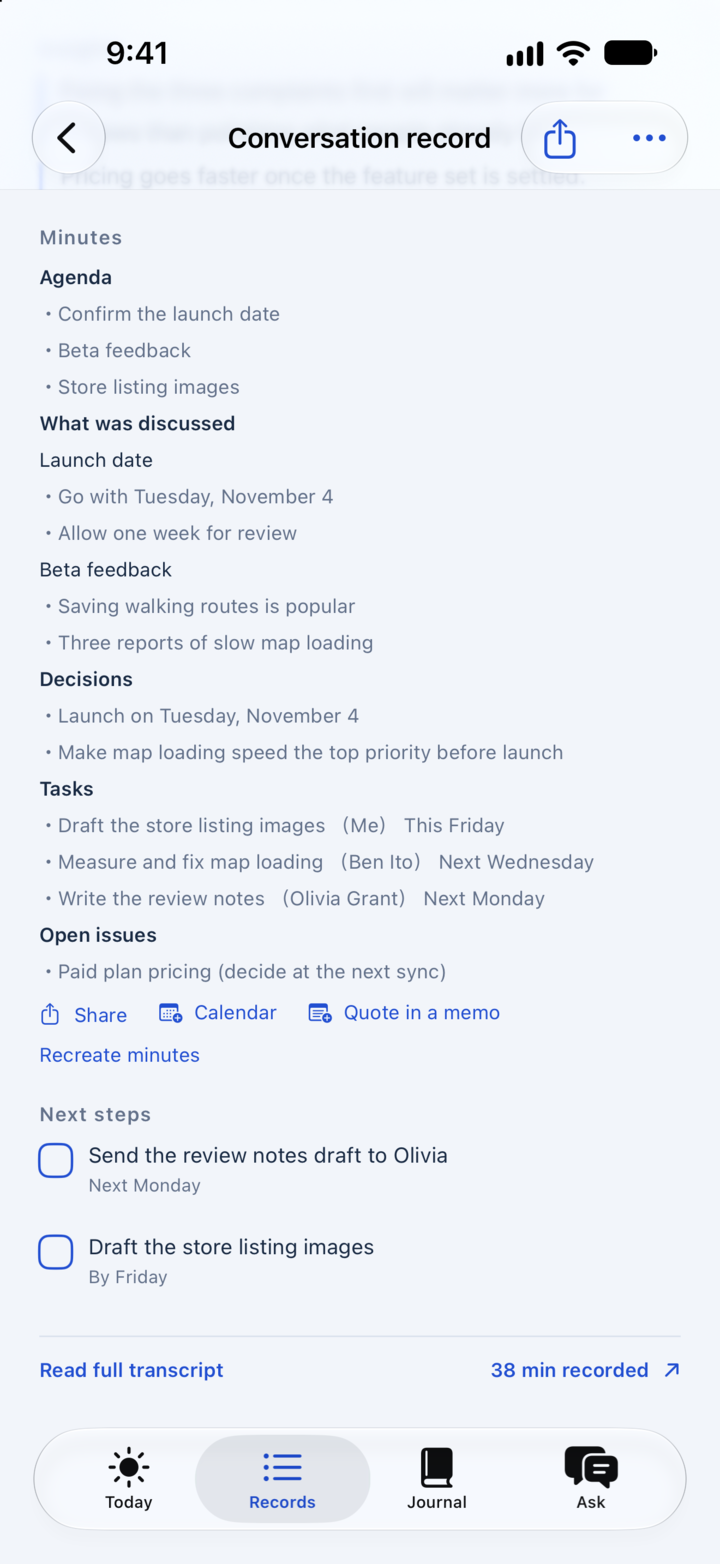
Quote meeting minutes in your notes, share the minutes, and add to Google Calendar.
Pricing
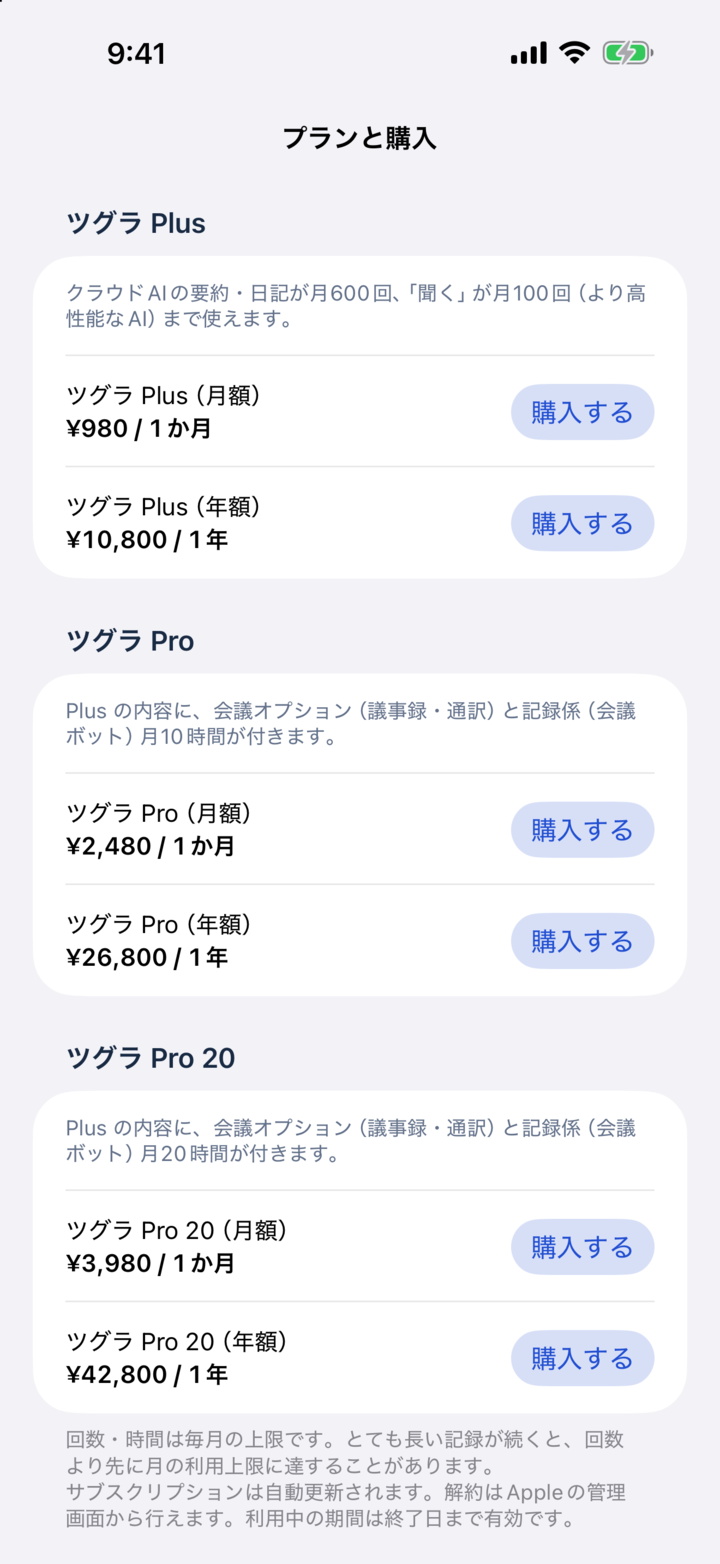
Web prices are about 10% lower than App Store prices. Your plan works in the iPhone and Mac apps.
No sign-in is needed to buy on the web. After you pay, you’ll see a code. Enter it in the app under Settings → Plans and purchases → Use a plan purchased on the web, and the plan is added to the account you’re signed in with. Subscriptions renew automatically. Cancel at any time.
| Plan & features | App Store | Web |
|---|---|---|
| FreeOn-device summaries. Ask: 10 queries/month. | App Store ¥0 / month ¥0 / year | Web ¥0 / month ¥0 / year Get started free |
| PlusAI summaries & diary: 600 uses/month. Ask: 100 queries/month. | App Store ¥980 / month ¥10,800 / year | Web ¥880 / month ¥9,800 / year Buy monthly Buy yearly |
| ProEverything in Plus, plus meeting minutes, interpretation and 10 meeting bot hours/month. | App Store ¥2,480 / month ¥26,800 / year | Web ¥2,280 / month ¥24,800 / year Buy monthly Buy yearly |
| Pro 20Everything in Plus, plus meeting minutes, interpretation and 20 meeting bot hours/month. | App Store ¥3,980 / month ¥42,800 / year | Web ¥3,580 / month ¥38,800 / year Buy monthly Buy yearly |
| Meeting add-onMeeting minutes: 100 uses/month, plus interpretation. | App Store ¥480 / month ¥4,800 / year | Web ¥440 / month ¥4,400 / year Buy monthly Buy yearly |
| Meeting bot time pack1 hour · Valid for 365 days | App Store¥200 | Web¥180 Buy on the web |
| Meeting bot time pack5 hours · Valid for 365 days | App Store¥800 | Web¥720 Buy on the web |
Privacy
Accounts, sync and AI: here is what we can confirm about how your records are handled.
Tsugra syncs between iPhone and Mac through iCloud. Recorded audio and health data do not sync.
Tsugra uses Anthropic’s API with settings that prevent data from being used for training.
Recording, playback, on-device transcription, export and deletion are free, with no account required.
When you sign in with Apple, Tsugra does not receive your name or email address.
Recording, playback, on-device transcription, export and deletion require no account. The free plan also includes on-device summaries and 10 Ask queries per month.
Yes. You don’t need to sign in to buy on the web. After payment, you’ll see an 8-character code and an Open in Tsugra button. While signed in to the app, go to Settings → Plans and purchases → Use a plan purchased on the web and enter the code. The plan then works on that account in the iPhone and Mac apps.
Subscriptions renew automatically and can be canceled at any time. If you bought through the App Store, cancel in Apple’s subscription settings. If you bought on the web, go to Settings → Plans and purchases → Manage web plan in the app. Meeting bot time packs are valid for 365 days.
Recorded audio stays on your iPhone and Mac and is not sent to our servers (it is also excluded from iCloud sync). When you use AI summaries, the diary or Ask, transcripts, your questions and the records you choose are sent—with your consent—through our server to Anthropic. Our server does not store the content. If you use the meeting bot, meeting audio is recorded by our processor, and we request its deletion once the transcript is retrieved. See the Privacy Policy for details.
Tsugra supports Japanese, English, Korean, Simplified Chinese and Traditional Chinese.
Get Tsugra
For iPhone, Apple Watch and Mac.
Open this page on iPhone
tsugra.com/en/#download